
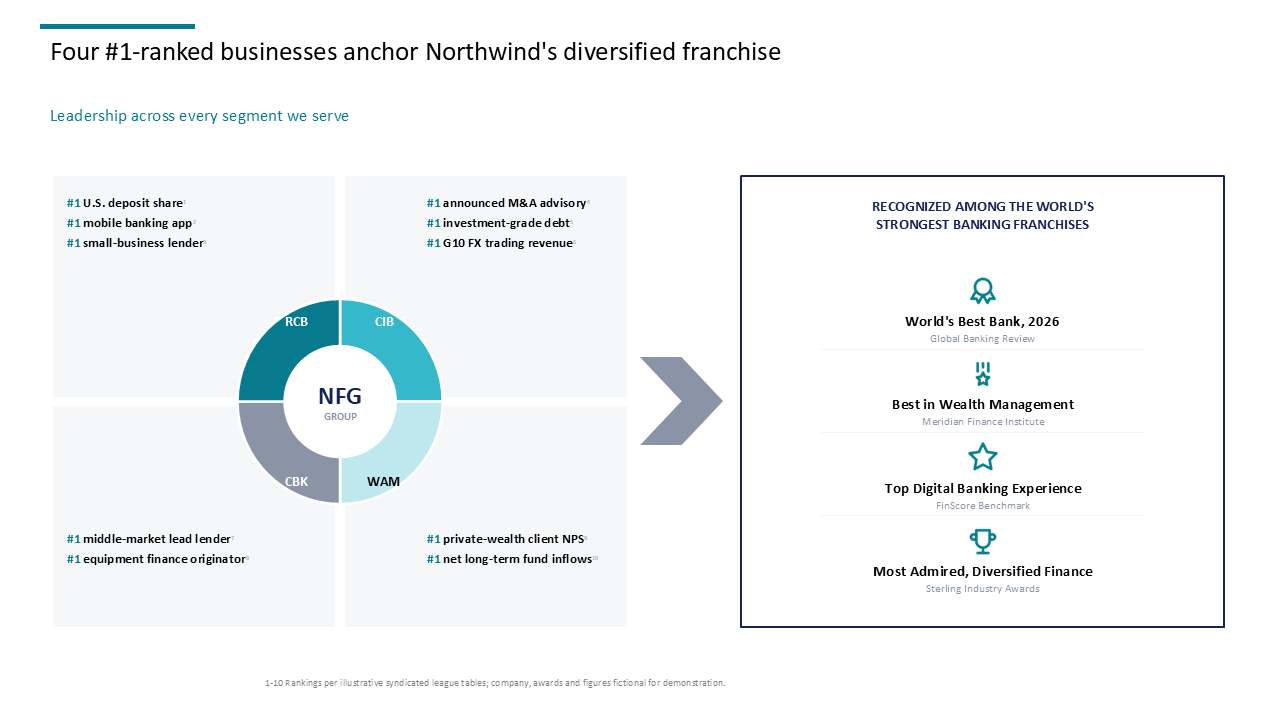
 Banking segment overview featuring a central donut chart with surrounding metrics and a right-sidebar awards panel
Inspiration Library folder
Pie & Donut Charts slide templates
Browse 14 consulting-ready Pie & Donut Charts slide templates, prompts and presentation examples from the AutoPresent Inspiration Library.
Slide inspiration
Pie & Donut Charts slides
Banking segment overview featuring a central donut chart with surrounding metrics and a right-sidebar awards panel
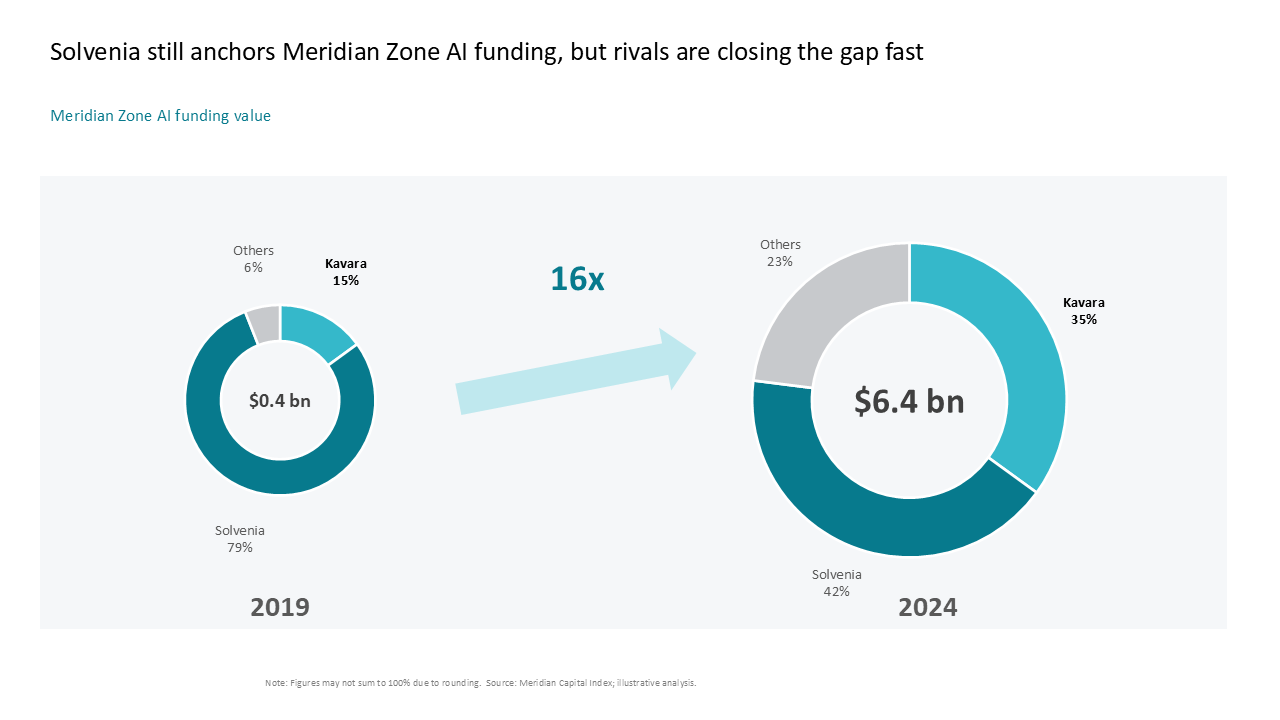 A comparative donut chart slide showing 16x AI funding growth and market share shifts between 2019 and 2024
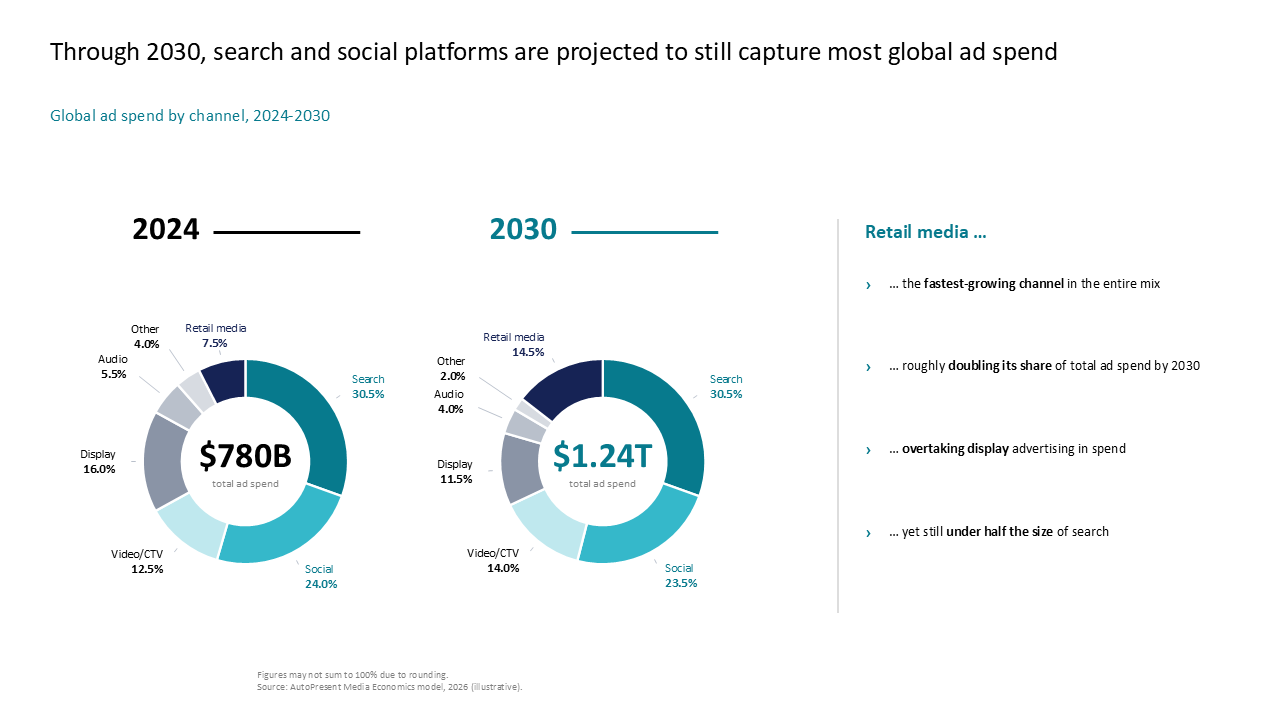 Compares 2024 vs 2030 global ad spend using side-by-side donut charts with a right-side text panel for key insights on retail media
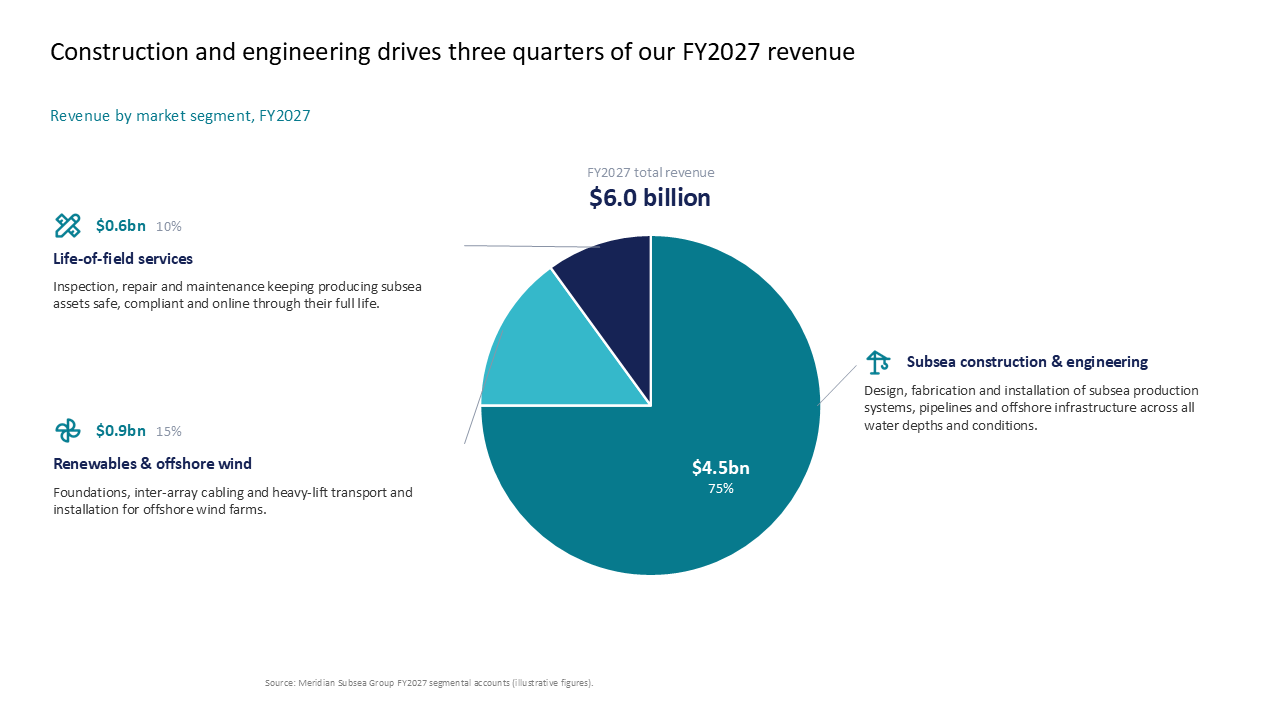 Revenue breakdown pie chart showing market segments with detailed callouts for financial analysis
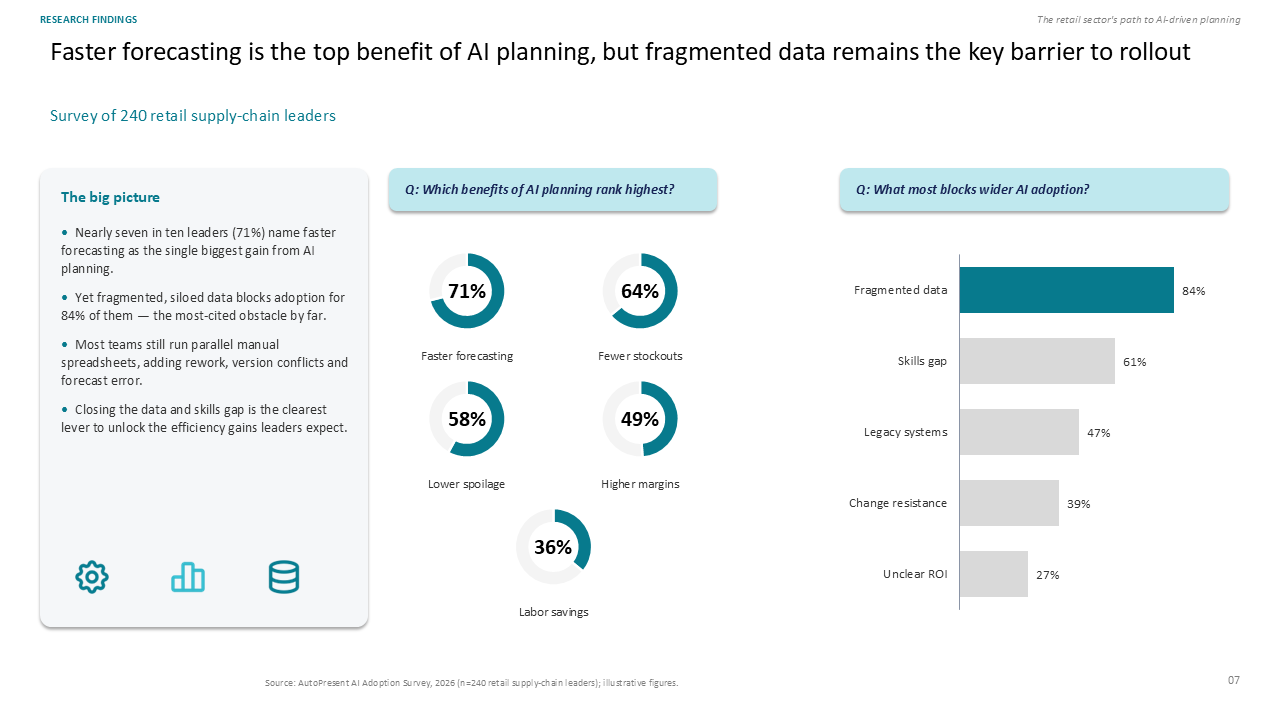 Three-column slide summarizing AI planning survey results with donut charts and a horizontal bar chart on retail supply chain barriers
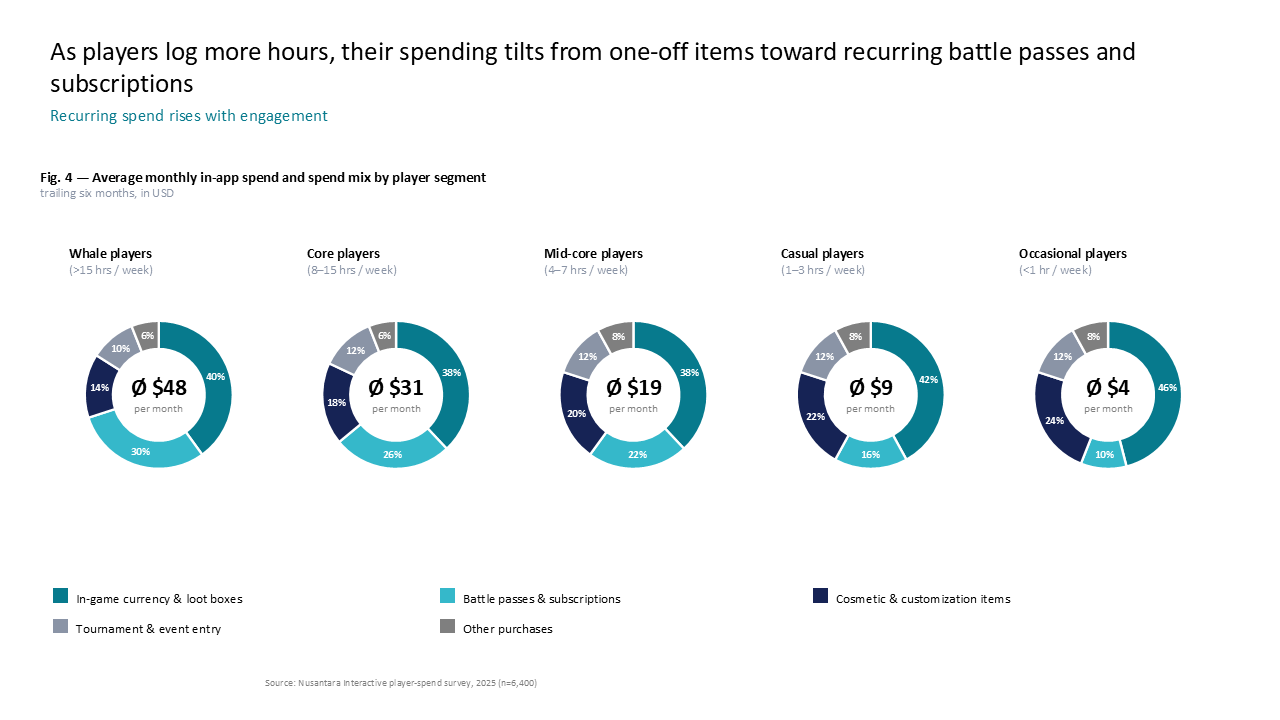 Donut chart row showing in-app spending trends and revenue mix by gaming player engagement level
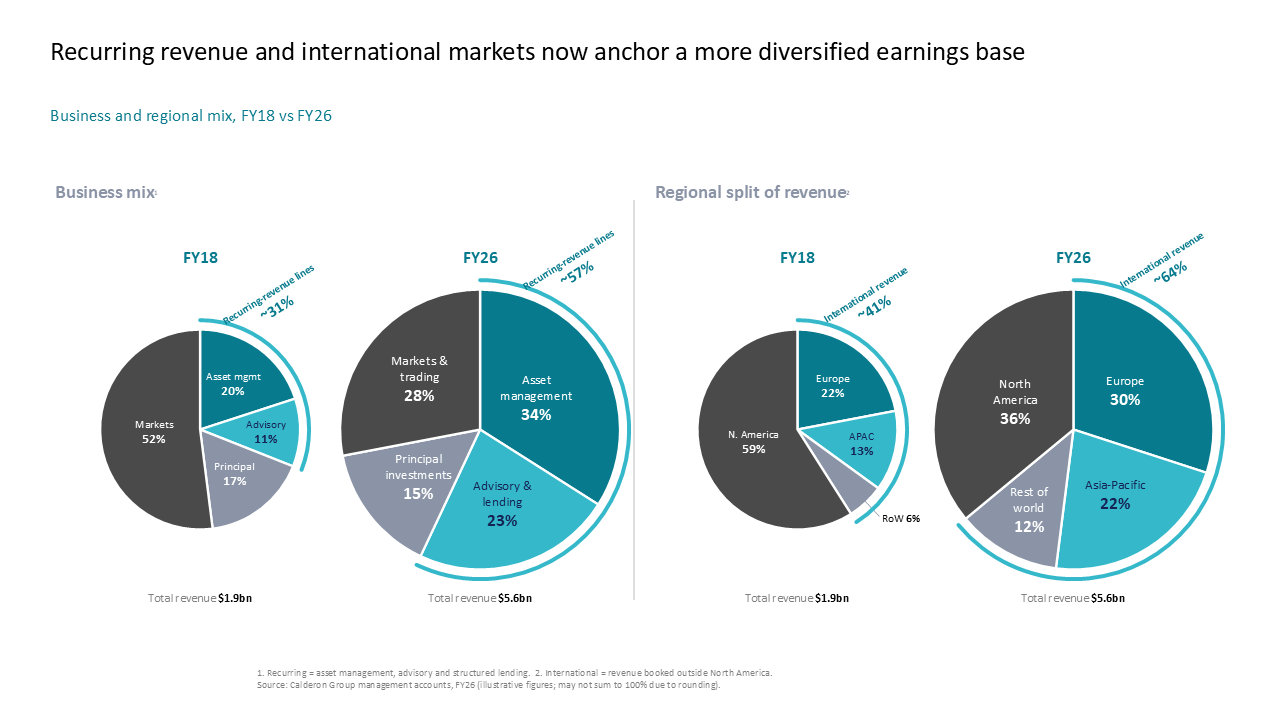 Comparative view of business and regional revenue growth using four side-by-side pie charts with segment highlight arcs
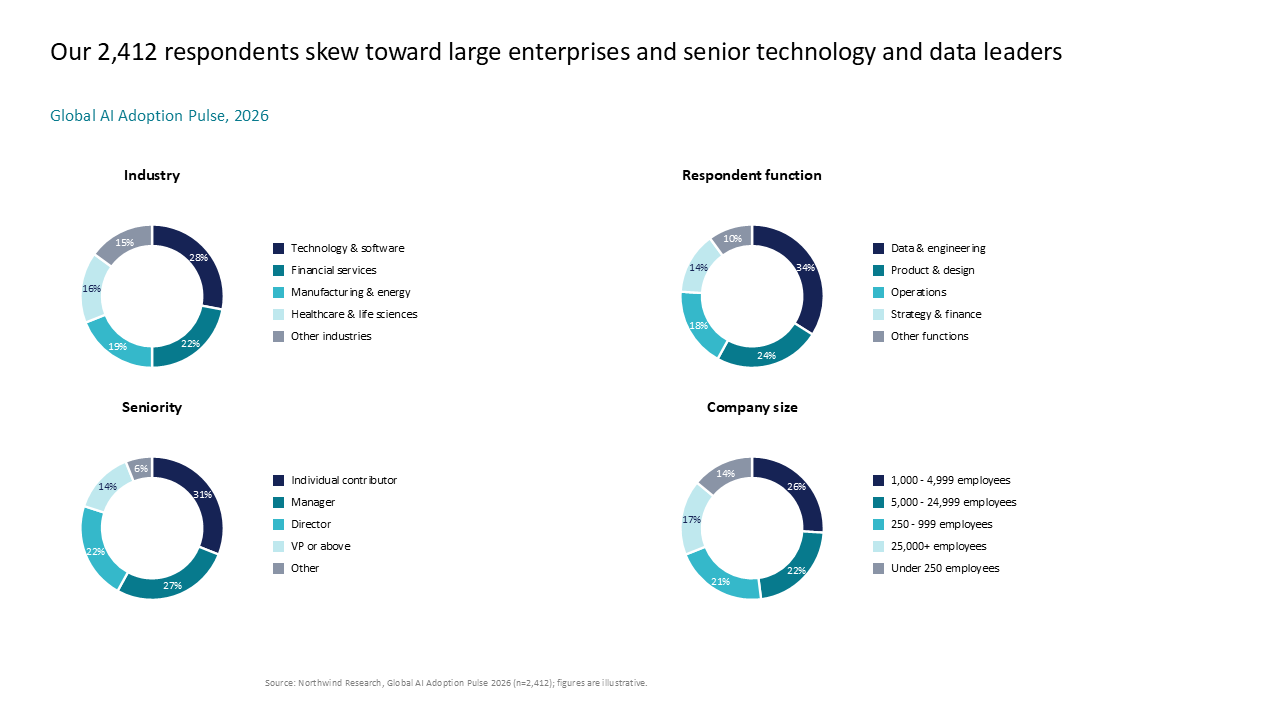 Demographic profile of survey respondents displayed in a 2x2 grid of donut charts covering industry, seniority, and company size
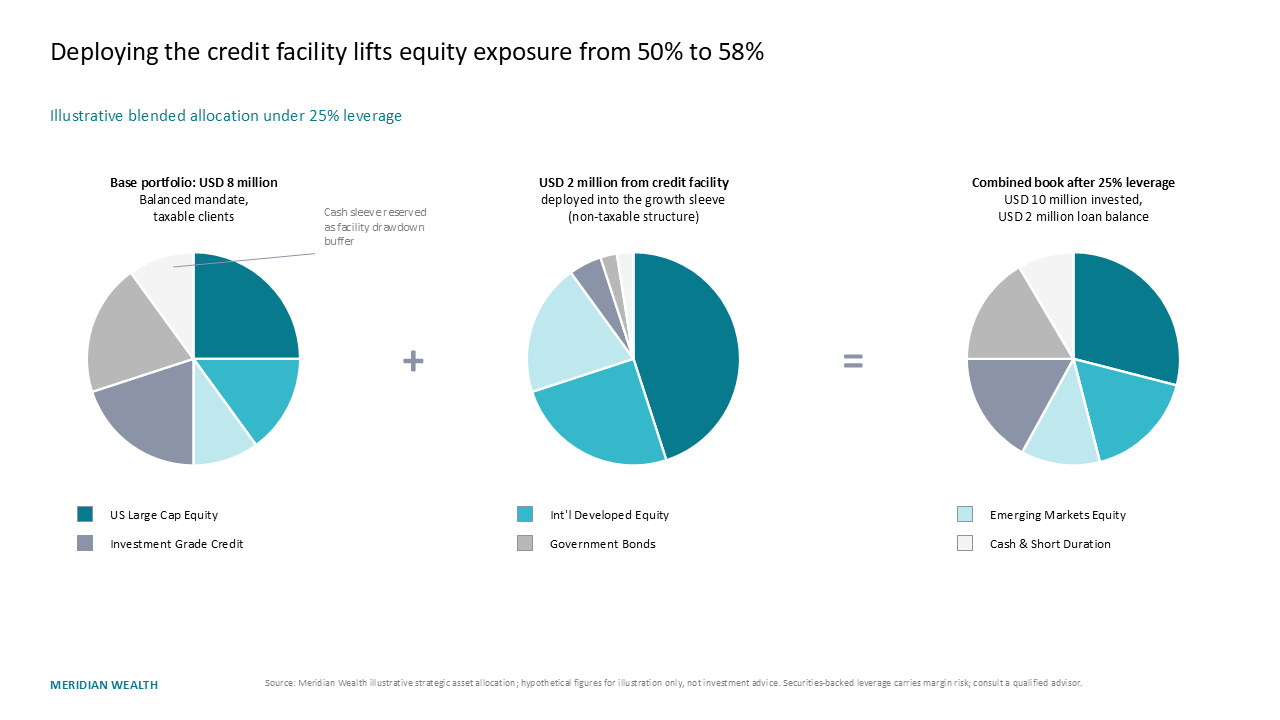 Financial illustration of portfolio leverage impact using a three-column equation layout with pie charts
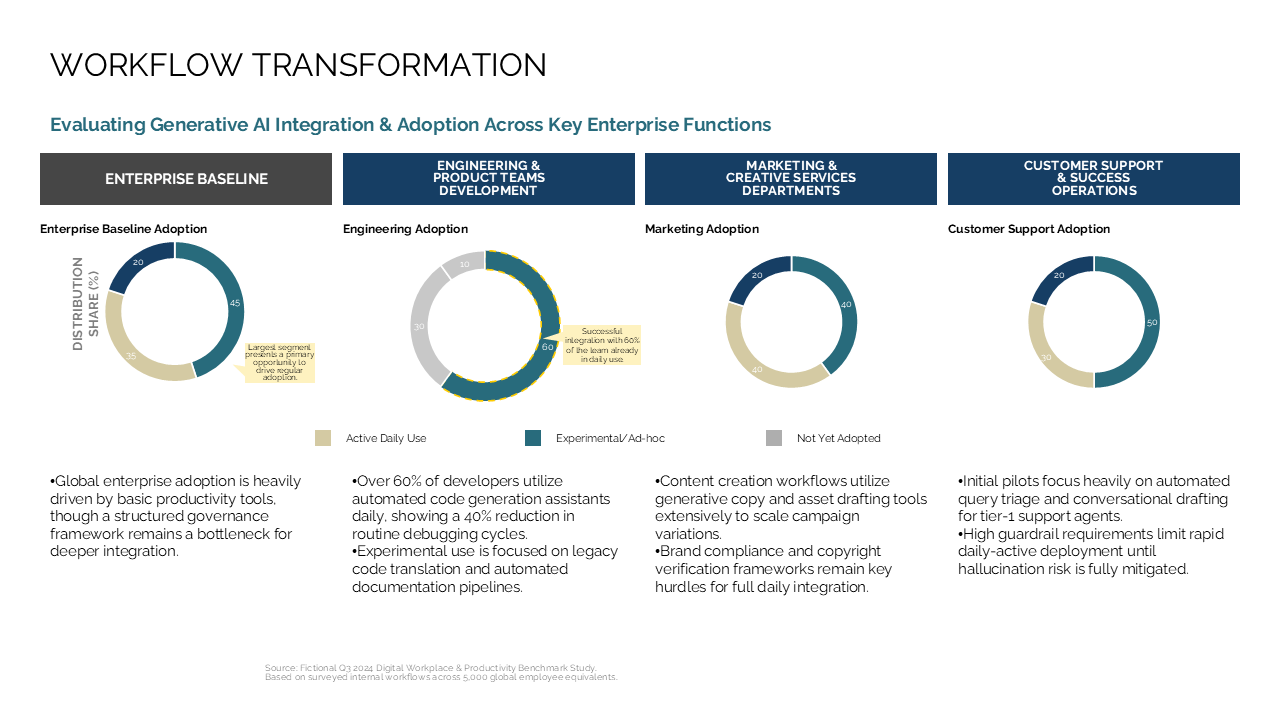 Four-column comparison slide using donut charts to visualize generative AI adoption rates across four key enterprise functions
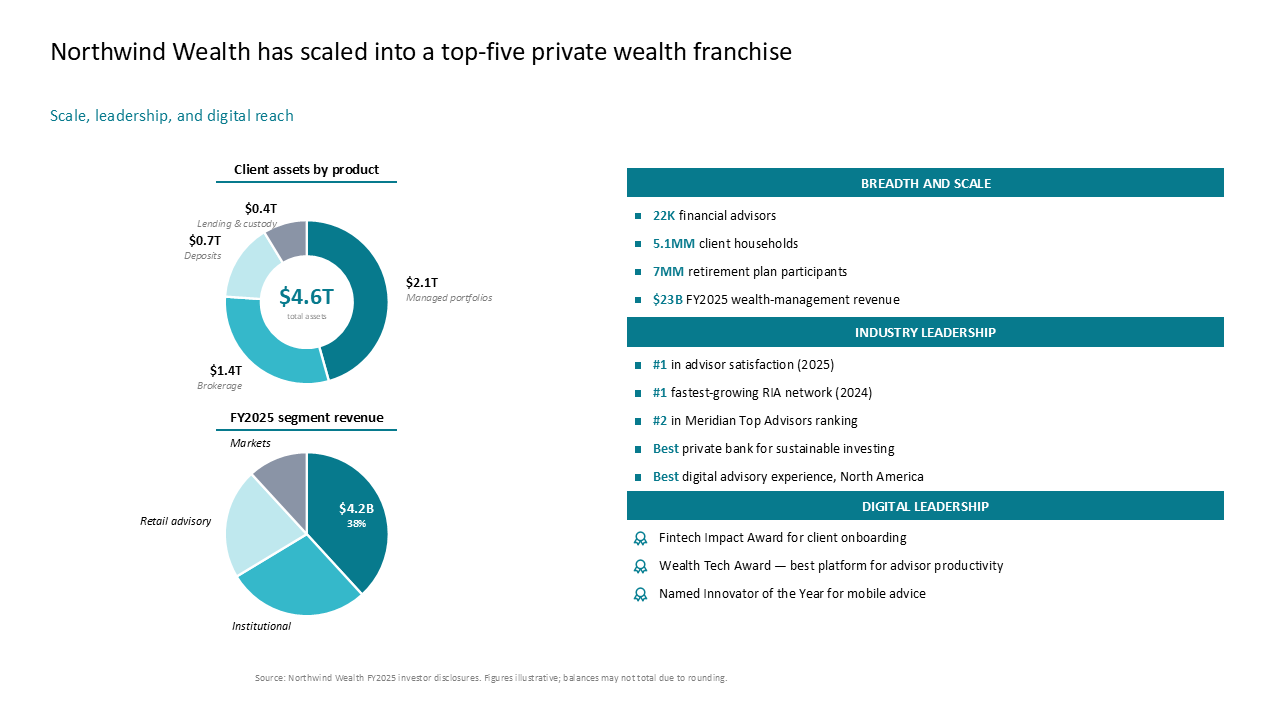 Wealth management overview using two-column layout with donut charts on the left and stacked vertical lists for key metrics on the right
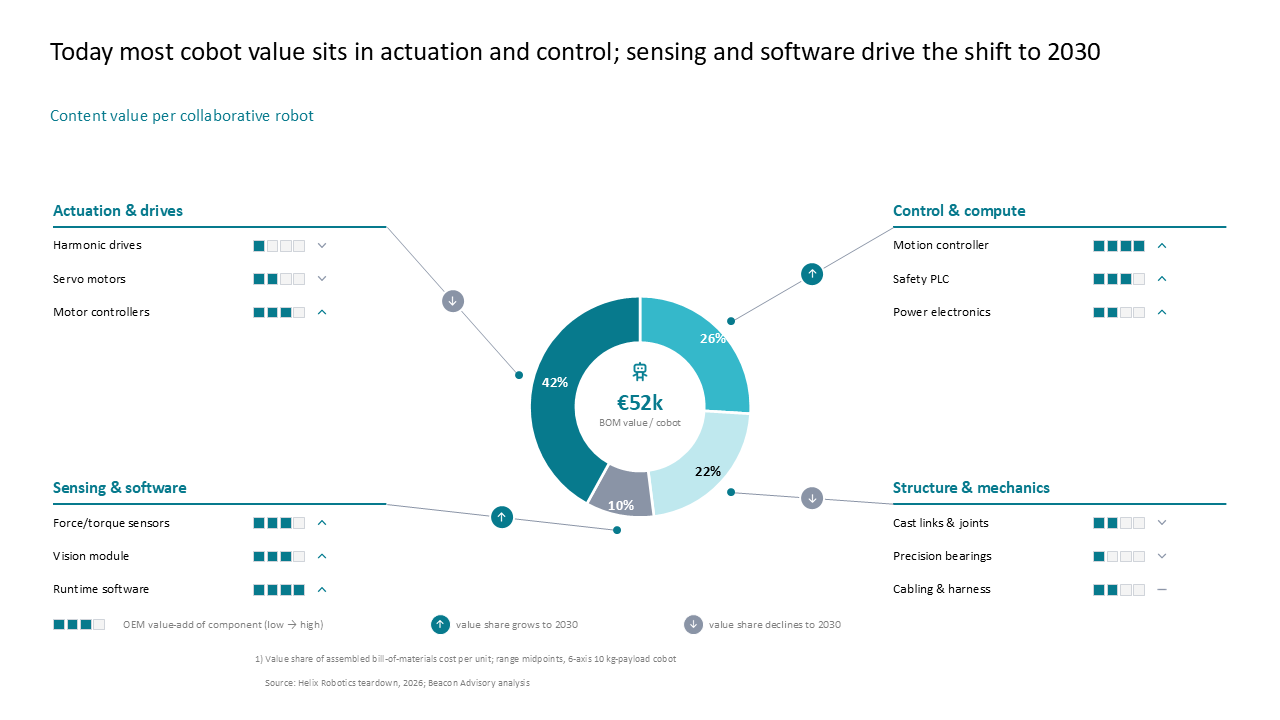 Analysis of cobot bill-of-materials value using a central donut chart with connecting quadrants to highlight 2030 component trends
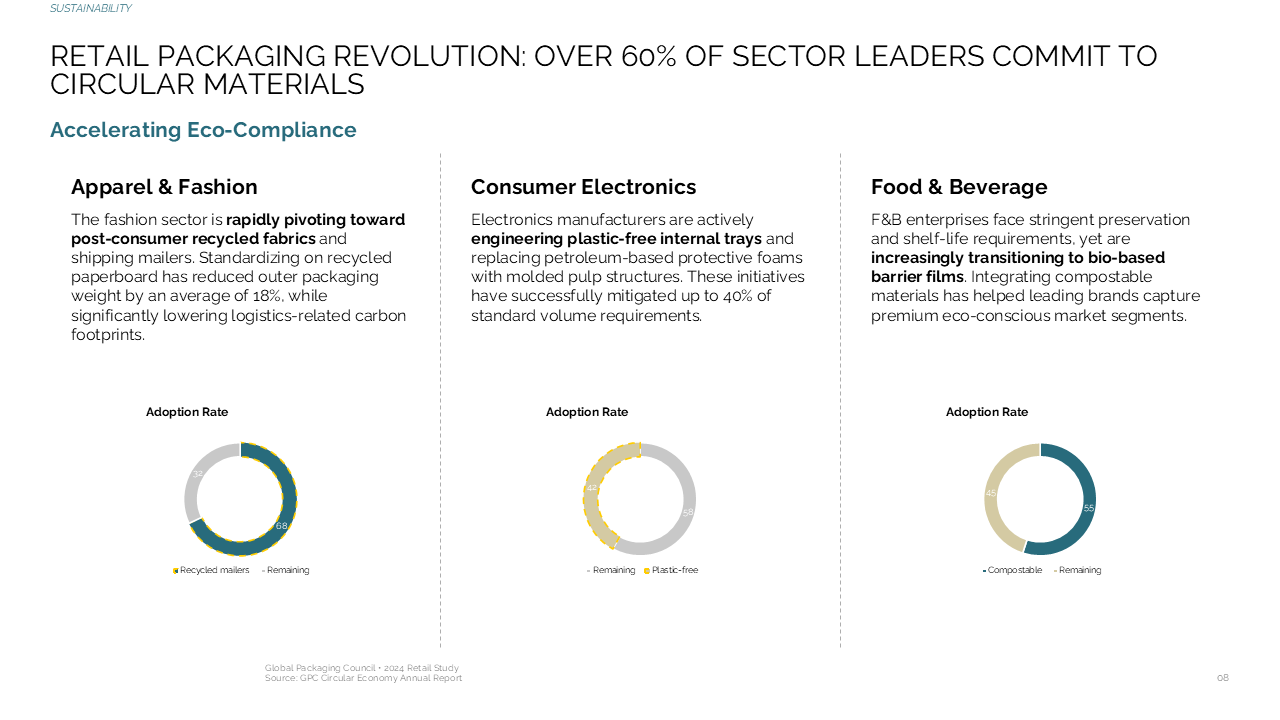 Sustainability adoption analysis across retail sectors using a three-column layout with donut charts for comparative data
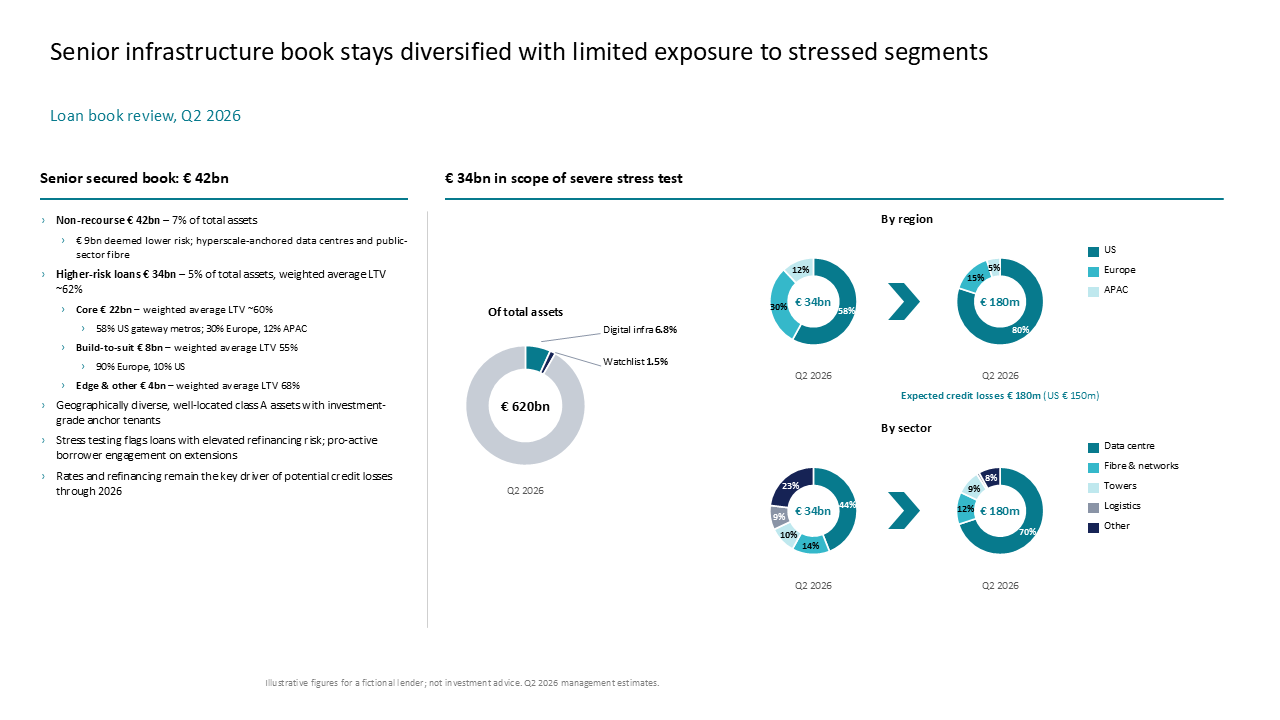 This dashboard details the senior infrastructure loan book using text summaries alongside comparative donut charts for regional and secto
Build a board-ready slide from this inspiration.
Use AutoPresent to turn a prompt into an editable presentation.
Start creating